
12 People Search Websites That Have Your Personal Information
Your name, phone number, home address, and other personal details may appear on websites you have never visited. These platforms are commonly called people search websites. They collect information from public records, online directories, and other sources to create searchable profiles. You may never have given these companies your information directly. Your details can still appear because they gather information from sources outside your control.
This matters for more than privacy. A publicly visible home address or phone number can make it easier for strangers to contact you, expose family members, or misuse your details in scams. People who have experienced stalking or harassment may have particular reasons to remove their information.
Many people search websites offer a basic opt-out process. This guide covers 12 services, their removal pages, and the steps you may need to complete.
Scope: This article focuses on websites serving people in the United States. California residents have an additional option called DROP, explained below. It is not available to residents of other states. We reviewed the linked privacy and removal resources but did not submit removal requests or independently test every form. Procedures and processing estimates can change, so check the current instructions on each official page.

Related: Here are Top 5 Powerful AI Cybersecurity Tools for 2026
Quick Comparison: 12 People Search Websites
| Website | Official removal page | What to prepare |
|---|---|---|
| Whitepages | Suppression Requests | Profile URL, phone |
| Spokeo | Opt-Out | Profile URL, email |
| BeenVerified | Opt-Out | Matching listing details |
| Intelius | PeopleConnect | Email, verification |
| TruthFinder | PeopleConnect | Email, verification |
| PeopleFinders | Opt-Out | Listing details, email |
| FastPeopleSearch | Removal | Name, email |
| Radaris | Privacy Controls | Profile URL, email |
| Instant Checkmate | PeopleConnect | Email, verification |
| US Search | PeopleConnect | Email, verification |
| MyLife | Privacy Request | Details requested by the form |
| Nuwber | Removal | Profile URL, email |
Start with listings that expose your current home address, personal phone number, or family connections. Those details may create a more immediate privacy or safety concern than an outdated or incomplete profile.
1. Whitepages
Whitepages is an online directory that helps users find people and contact information. A listing may include a person’s name, age, current or previous addresses, phone numbers, and possible relatives.
How to remove your listing
- Search for your name on Whitepages.
- Open the matching profile and copy its full web address.
- Visit the Whitepages Suppression Requests page.
- Paste the profile URL into the form and continue.
- Confirm that the displayed profile belongs to you.
- Select the removal option and provide the requested information.
- Complete the phone verification if Whitepages asks for it. Its process may use an automated call.
If you have more than one listing, check each profile separately. A request for one profile should not be assumed to cover every record associated with your name.
2. Spokeo
Spokeo collects information from public records and other sources. Its search results may show addresses, phone numbers, relatives, and other details associated with a person.
How to remove your listing
- Search for your name on Spokeo.
- Open the profile that matches your information.
- Copy the profile URL from your browser.
- Go to the Spokeo Opt-Out page.
- Paste the profile URL and enter an email address you can access.
- Submit the request.
- Open the confirmation email and click its verification link.
The profile URL helps identify the exact listing you want removed. If you find multiple profiles, submit a separate request for each one.
Some removal guides report an estimated processing period of 24–48 hours after confirmation. Treat this as an estimate, not a guaranteed deadline. Check the current opt-out page for any updated instructions.
3. BeenVerified
BeenVerified provides people-search and public-record search services. Its reports may contain contact information, addresses, possible relatives, and other records.
How to remove your listing
- Open the BeenVerified Opt-Out page.
- Follow the search instructions to find your record.
- Select the listing that matches your details.
- Complete the information requested by the opt-out form.
- Submit the request and follow any confirmation instructions.
Check the result after submitting your request. If more than one listing appears to belong to you, review each one rather than assuming a single request covers all records.
4. Intelius
Intelius provides people-search and background information services. Its reports may include addresses, phone numbers, relatives, and other public-record details.
How to request suppression
- Open the PeopleConnect Suppression Center.
- Enter an email address you can access.
- Check your inbox for the verification email.
- Open the link in that email to continue.
- Follow the instructions to locate and suppress your name-search background report.
- Complete any additional verification requested by the service.
The PeopleConnect tool is free. It covers certain name-search background reports, not every type of information or every source where your details may appear.
5. TruthFinder
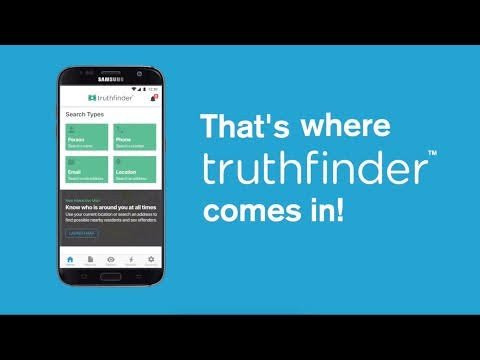
TruthFinder is a people-search service that provides access to background and public-record-related information. Its reports may include addresses, phone numbers, relatives, and other details.
How to request suppression
- Visit the PeopleConnect Suppression Center.
- Enter your email address.
- Open the verification email and follow its link.
- Continue through the suppression process.
- Follow the instructions to suppress your name-search background report.
TruthFinder uses the same PeopleConnect suppression service as Intelius. The tool is free, but its coverage is limited to the report types described by PeopleConnect.
6. PeopleFinders
PeopleFinders allows users to search for individuals using names and location details. A profile may contain addresses, phone numbers, and possible family connections.
How to remove your listing
- Search your name on PeopleFinders.
- Open the matching record and copy its profile URL.
- Visit the PeopleFinders Opt-Out page.
- Follow the privacy-request instructions and provide the requested details.
- Enter an email address you can access.
- Open the verification email and follow its link.
- Complete any additional removal form presented by the website.
Some removal guides report that processing may take up to three days after the required steps are completed. Keep the confirmation and check the profile again afterward. This is an estimate, not a guaranteed deadline.
7. FastPeopleSearch
FastPeopleSearch is a free people-search directory that may display names, phone numbers, addresses, and possible relatives.
Its email confirmation step is important. If you do not complete it, your removal request may not be finished.
How to remove your listing
- Open the FastPeopleSearch Removal page.
- Follow the instructions to enter your name and an accessible email address.
- Submit the initial request.
- Check your inbox for the opt-out email.
- Open the email and click its removal link.
- Complete the form for the matching listing and submit it.
Some removal guidance reports that the emailed link may expire after 24 hours. Complete the step promptly; if the link no longer works, request another one. Published guidance has also described processing of up to 72 hours after successful confirmation. Check the current page for the latest requirements.
8. Radaris
Radaris publishes people-search profiles that may include names, addresses, phone numbers, and associated individuals.
Its opt-out process can involve several screens, so it may take more effort than a simple email-confirmation form.
How to request removal
- Search for your name, city, and state on Radaris.
- Open the profile that matches your information.
- Copy the profile URL.
- Visit Radaris Privacy Controls.
- Follow the prompts and enter your name, location, or profile URL as requested.
- Select the listing you want to remove.
- Continue through the prompts until the form asks for your email address.
- Complete the CAPTCHA and submit the request.
- Check your inbox and follow any verification link.
You may need to repeat the process for separate profiles. A third-party removal guide describes several confirmation screens and reports that a listing may be removed within 24 hours after the final step. This is not a guaranteed Radaris deadline.
Is Radaris opt-out free? Check the current privacy page and terms before proceeding. I could not confirm a clear, current free-service guarantee for every part of its removal process. Do not confuse a basic privacy request with a paid monitoring or subscription offer.
9. Instant Checkmate
Instant Checkmate provides background-search services. Its reports may include public-record information, addresses, phone numbers, and other details associated with an individual.
How to request suppression
- Visit the PeopleConnect Suppression Center.
- Enter your email address.
- Open the verification email and follow its link.
- Continue through the suppression process.
- Follow the instructions to suppress your name-search background report.
Instant Checkmate is part of the PeopleConnect family. Its covered name-search background reports are included in the shared suppression process. Other types of reports or information from outside sources may remain available.
10. US Search
US Search is a people-search service that provides access to information from public and other available records. Its listings may include contact details, previous addresses, and possible connections.
How to request suppression
- Open the PeopleConnect Suppression Center.
- Enter an email address.
- Open the verification email and follow its link.
- Follow the instructions to locate and suppress your name-search background report.
- Save the confirmation details.
US Search is included in PeopleConnect’s suppression program for covered name-search background reports. The process does not guarantee that every type of information or every record from other sources will disappear.
11. MyLife
MyLife provides people-search and background-related information. Depending on the record, a profile may contain personal details and information associated with an individual’s public or online presence.
How to submit a privacy request
- Visit the MyLife Privacy Request page.
- Review the available privacy choices.
- Follow the instructions to identify the information or profile involved.
- Submit the request using the details required by the form.
- Save any confirmation or reference information.
MyLife’s form and privacy procedures may change. Check the current page for the available request types and verification requirements.
Is MyLife opt-out free? Check the current privacy terms before proceeding. I could not confirm a clear, current free-service guarantee for every privacy-related service. Do not assume that paid monitoring or membership products are required to submit a basic privacy request.
12. Nuwber
Nuwber is a people-search website that may display names, addresses, phone numbers, and other information gathered from different sources.
How to remove your listing
- Search for your name on Nuwber.
- Open the profile that matches your information.
- Copy the profile URL.
- Visit the Nuwber Removal page.
- Enter the profile URL and follow the form instructions.
- Provide an email address if requested.
- Complete the confirmation step shown by the website.
Each separate profile may need its own request. Some third-party removal guides report processing of around 48 hours, but this is an estimate rather than a guaranteed Nuwber deadline. Check the current form for its latest instructions.
California Residents: Use DROP Before Manual Opt-Outs

The Delete Request and Opt-out Platform (DROP) is a California-only service. It allows eligible California residents to submit one deletion request to participating registered data brokers.
It is not available to residents of other US states or other countries.
California launched DROP on January 1, 2026. Data brokers began processing requests on August 1, 2026.
In its October 6, 2026 FAQ, the California Privacy Protection Agency said DROP could send requests to more than 650 registered data brokers. The agency also reported that more than 550,000 Californians had signed up by early October. In the first three months of processing, 70% of users had information deleted by 100 or more brokers.
How to use DROP
- Visit the official California DROP website.
- Verify that you are a California resident through the California Identity Gateway.
- Create your profile and provide the information you choose to submit.
- Review and send your deletion request.
- Save the eight-digit DROP ID shown on the confirmation page so you can check your request status later.
There are two different timelines to understand:
- 45 days: Data brokers must access DROP and process requests at least once every 45 days.
- Up to 90 days: It may take up to 90 days for status updates to appear after you submit a request.
California residents should use DROP as their first step instead of manually contacting every registered data broker. However, they should still check individual people-search websites for information that remains visible, services outside DROP’s coverage, and records that may be legally exempt from deletion.
The 650+ figure and user statistics above come from the agency’s October 6 FAQ. The current DROP homepage describes the service as reaching over 600 registered data brokers. These are official figures published on different pages, so the date and source matter.
Official resources: DROP homepage | How DROP Works | October 6 DROP FAQ.
What About Privacy Laws in Other US States?
California is not the only state with a consumer privacy law. Several other states have enacted laws that give eligible residents certain rights over their personal information.
Depending on the state and the company involved, these rights may include requesting access, correction, or deletion of personal data, or opting out of certain data processing.
The rules are not identical everywhere. Some laws apply only to businesses meeting particular thresholds, and exemptions may apply to certain records or types of information.
If you live outside California, check your state’s privacy regulator or attorney general website to understand your rights. The IAPP US State Privacy Legislation Tracker is a useful starting point for finding which states have comprehensive privacy laws and how their provisions differ.
What to Do After Submitting an Opt-Out Request
Submitting a form is only part of the process. These checks can help you avoid missing an important step.
- Use an email address you can access. Some websites send a verification link before processing a request. A separate email address can make confirmations easier to track.
- Save confirmation messages. Keep the email or reference number until you have checked the listing.
- Check every matching profile. A website may have more than one record for someone with the same name, a former address, or a middle initial.
- Search again after the stated processing period. If the listing remains visible, revisit the official opt-out page and check whether another step is required.
- Remember that removal may not be permanent. A website may receive updated records from its sources and create a new listing later. Recheck your name periodically.
Frequently Asked Questions
1. What are people search websites?
People search websites collect information from public records, directories, and other sources to create searchable profiles about individuals. These profiles may include names, addresses, phone numbers, and possible relatives.
2. Can I remove my personal information for free?
Many major people-search websites offer a free basic opt-out or suppression process. Some also advertise paid subscriptions or monitoring services. Check the terms carefully and do not confuse a paid service with a basic privacy request.
3. How long does it take to remove a listing?
It depends on the website. Some removal guides report estimates of 24–48 hours or up to three days, while others do not provide a clear public deadline. Email verification can also delay the process if you do not complete it promptly.
4. Does one opt-out request remove my information from every website?
No. A request normally applies to the company or service that receives it. PeopleConnect’s shared suppression tool covers certain name-search background reports across several affiliated websites, but it does not remove every type of information from every source.
5. Is it legal for people search websites to publish personal information?
In general, people-search websites collect and publish information from sources such as public records and other available data. Their activities are subject to applicable privacy and consumer-protection laws, and legal requirements vary by state and by the way the information is used.
The Federal Trade Commission explains how these sites collect and sell information and how consumers can opt out. Also, do not assume that a general people-search report is suitable for employment, housing, credit, or insurance decisions. Those uses can trigger requirements under the Fair Credit Reporting Act.
Read the FTC guide to people search sites for more information.
6. Is California DROP available to everyone in the United States?
No. DROP is designed for California residents. People living in other states should check their own state privacy laws and use the individual websites’ opt-out procedures.
7. Can my information appear again after removal?
Yes. People-search websites may receive new information from public records or other sources. A previously removed listing can reappear, so it is worth checking periodically.
8. Should I pay a data removal company?
Not necessarily. You can submit many basic opt-out requests yourself using the official links in this guide. A paid removal service may save time if you want help with multiple websites, but compare its price, coverage, cancellation terms, and privacy policy before paying.
You May Also Like This: 10 Best free AI Websites to Make Money Online
Final Thoughts
People search websites can make personal details easier to find online, even when you never created an account with them. Start by searching your name, identifying the profiles that actually belong to you, and prioritizing listings that expose your home address or personal phone number.
Use each website’s official privacy page to submit a removal request. If you live in California, use DROP first for participating registered data brokers. For everyone else, individual opt-out procedures and state privacy rights remain important options.
Keep your confirmation emails, check every matching profile, and revisit the listings periodically. A removal request can reduce the information available on a particular website, but it cannot guarantee that your details will disappear from the entire internet.