
10 Best Robotic Process Automation Software for Businesses in 2027
Introduction
Every business has jobs nobody wants to do. Copying invoice numbers into an ERP. Pulling the same reports from three systems every Monday. Re-keying customer details from an email into a CRM that has no API.
Robotic process automation software handles this kind of work. You build “bots” that click, type, and move data through your apps the way a person would, only faster and without getting bored.
The market has also changed. Nearly every major vendor now sells AI agents alongside its bots. This guide covers ten of the best RPA platforms going into 2027, with ratings, pricing, analyst views, and real examples where they exist.
Related: Here are 20 Best Cloud Accounting Software in 2027
Quick Answer: What Is the Best RPA Software for Businesses in 2027?
There is no single winner, because the right tool depends on what you already use. As a starting point:
- UiPath is the best all-rounder for broad, large-scale automation.
- Microsoft Power Automate is the easiest entry for companies on Microsoft 365.
- Automation Anywhere suits cloud-first enterprises.
- SS&C Blue Prism fits heavily regulated industries.
- Pega, Appian, ServiceNow, and SAP make the most sense if you already run their wider platforms.
- Tungsten Automation is built for document-heavy work, and Nintex suits business teams that want no-code bots.
Small business on a tight budget? Start with Power Automate or UiPath’s free Community plan before signing anything bigger.
Our Ratings at a Glance
| Tool | Ease of Start | Pricing Clarity | Enterprise Depth | AI & Agents | Overall |
|---|---|---|---|---|---|
| UiPath | 4 | 4 | 5 | 5 | 4.5 / 5 |
| Microsoft Power Automate | 5 | 5 | 4 | 4 | 4.5 / 5 |
| Automation Anywhere | 4 | 3 | 5 | 5 | 4.3 / 5 |
| Appian RPA | 3 | 2 | 5 | 5 | 3.8 / 5 |
| SS&C Blue Prism | 3 | 2 | 5 | 4 | 3.5 / 5 |
| SAP Build Process Automation | 3 | 4 | 4 | 3 | 3.5 / 5 |
| Pega RPA | 2 | 2 | 5 | 4 | 3.3 / 5 |
| ServiceNow RPA Hub | 3 | 2 | 4 | 4 | 3.3 / 5 |
| Tungsten Automation | 3 | 2 | 4 | 4 | 3.3 / 5 |
| Nintex RPA | 5 | 2 | 3 | 3 | 3.3 / 5 |
How we scored: These are editorial scores, not user reviews and not a hands-on lab test. They are based on the facts in this article: free tiers and published prices (Ease of Start, Pricing Clarity), governance and analyst recognition (Enterprise Depth), and agent and orchestration features (AI & Agents). A lower score doesn’t mean a bad tool. Pega scores low on ease because it’s a big platform commitment, yet it’s excellent if you’re rebuilding operations end to end.
What Is Robotic Process Automation Software?
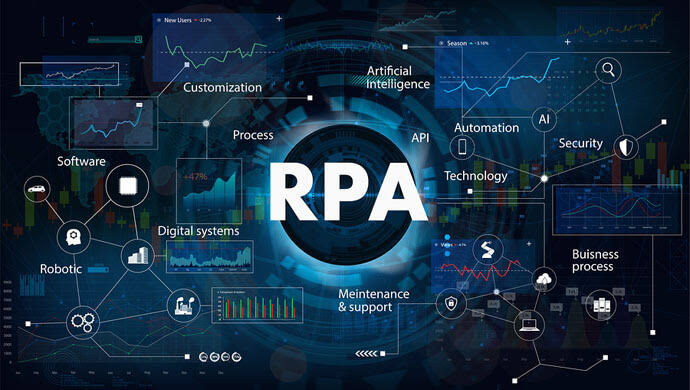
RPA software automates repetitive, rules-based tasks on a computer screen. A bot follows a set of steps: open this app, log in, copy this field, paste it there, save, repeat.
Its biggest advantage is that it works with older systems that don’t have modern APIs. If a person can do the task with a keyboard and mouse, a bot usually can too.
There are two main types of bots:
- Attended bots run on an employee’s desktop and help in real time. Picture a customer service agent who clicks a button and a bot fills in five screens of data.
- Unattended bots run on their own in the background, often overnight, on a server or virtual machine.
Does RPA Still Matter in the Age of AI Agents?
Yes. Gartner’s 2026 research still describes RPA as the most cost-effective and reliable way to automate screen-based interactions in task-based workflows.
What has changed is the division of labor. AI agents handle judgment calls, like reading a messy email or deciding which team should get a request. Bots then carry out the exact, repeatable steps. Most vendors on this list now sell both together.
The market is sizable too. According to Gartner figures cited by SAP, RPA revenue grew 18% to reach $3.8 billion in the year covered by Gartner’s 2025 report.
How We Chose These Platforms
We didn’t run hands-on lab tests of every product. Our picks are editorial recommendations built on:
- Recognition in independent analyst research, especially Gartner’s Magic Quadrant reports
- Official product documentation and recent release announcements
- Published pricing, where vendors make it public
- How well each tool supports attended bots, unattended bots, AI agents, and governance
Prices and features change often. Confirm details with the vendor before you buy.
Related: Here are 15 Best Payroll Software for Small Businesses in 2027
The 10 Best Robotic Process Automation Software Platforms for 2027
1. UiPath: Best Overall for Large-Scale Automation
Image slot: 1200×675 px, rectangular. Alt text: UiPath RPA platform dashboard. Use an official UiPath press-kit image.
Editorial rating: 4.5 / 5
UiPath is the name most people think of when they hear “RPA.” The platform now goes well beyond bots. UiPath Maestro coordinates long-running processes across AI agents, robots, and people, and can orchestrate third-party agents alongside UiPath’s own. Autopilot adds AI help for building automations, and process and task mining point you to the work worth automating. UiPath has also added support for outside coding agents such as Claude Code and OpenAI Codex, so developers can build automations from natural-language prompts.
Companies with strict data rules can run the full stack on-premises through UiPath Automation Suite, including on their own Kubernetes infrastructure.
Analyst view: Gartner named UiPath a Leader in its RPA Magic Quadrant for seven straight years, and in the 2025 edition it placed highest for ability to execute. In September 2026, it was also named a Leader in Gartner’s newer Magic Quadrant for Business Orchestration and Automation Technologies.
Sources: UiPath press release on the 2025 RPA Magic Quadrant (Business Wire, July 1, 2025) and UiPath press release on the BOAT Magic Quadrant (September 18, 2026). Both are company announcements of Gartner’s rankings.
Expert insight: Gartner placed UiPath highest for ability to execute in its 2025 RPA Magic Quadrant. What it means for you: it’s a safe pick for your shortlist. Just get a written quote early, because the jump from the $25 Basic plan to enterprise pricing is real.
Typical use (illustrative scenario, not a named customer): A finance team builds a workflow that pulls details from hundreds of weekly invoices, checks required fields, and sends exceptions to a person for review.
Pricing: There’s a free Community plan for eligible users, a Basic plan starting at $25 per month, and quote-based Standard and Enterprise plans. Get a written quote early. The jump from $25 to enterprise pricing is real.
Pros
- Deepest ecosystem, including UiPath Academy, certifications, and partners
- Works for small pilots and enterprise programs
- Maestro orchestration is generally available
Cons
- Costs climb with unattended bots and enterprise governance
- Feature breadth can overwhelm small teams
- Bots may need maintenance when applications change
Best for: Mid-size and large companies that want one platform to scale automation across departments.
2. Microsoft Power Automate: Best for Microsoft 365 Businesses
Image slot: 1200×675 px, rectangular. Alt text: Microsoft Power Automate desktop flow. Use an official Microsoft media image.
Editorial rating: 4.5 / 5
If your company runs on Outlook, Teams, SharePoint, and Excel, the shortest path to RPA may already be in your tenant. Power Automate pairs cloud flows (API-based workflows) with desktop flows, which are the actual RPA part that drives older Windows software.
Copilot helps less technical staff build flows, and Copilot Studio builds agents that can trigger them.
Analyst view: Microsoft was a Leader in Gartner’s 2025 Magic Quadrant and one of the three revenue leaders in Gartner’s 2024 market share analysis. Gartner’s full reports are paywalled, so these links go to its abstracts.
Expert insight: Gartner counted Microsoft among the three revenue leaders in its 2024 market share analysis. What it means for you: entry is cheap and predictable, but desktop flows are less sophisticated than UiPath’s for complex legacy applications.
Typical use (illustrative scenario): A sales team builds a flow that sends an alert when a new customer form comes in, while finance automates spreadsheet prep and report distribution.
Pricing: Its quiet superpower is clear, public pricing:
- Premium: $15 per user per month, billed yearly, with attended desktop flows included
- Process: $150 per bot per month for unattended automation
- Hosted Process: $215 per bot per month, with Microsoft running the Azure virtual machine
- Process Mining add-on: listed at $5,000 per tenant per month
Windows 11 users can also try attended desktop flows for personal productivity at no extra cost, with limits on sharing.
Pros
- Cheapest credible attended-automation entry among the major vendors
- Tight integration with Microsoft 365, Dataverse, and Entra ID security
- Published prices for users, bots, and hosted machines
Cons
- Desktop flows are less sophisticated than UiPath’s for complex legacy applications
- Premium connectors and many unattended bots make costs stack up
- Companies using many non-Microsoft apps may need extra integration work
Best for: Small and mid-size businesses already in the Microsoft ecosystem.
3. Automation Anywhere: Best for Cloud-Native Enterprise Automation
Image slot: 1200×675 px, rectangular. Alt text: Automation Anywhere cloud automation platform. Use an official Automation Anywhere press image.
Editorial rating: 4.3 / 5
Automation Anywhere calls its approach Agentic Process Automation, which combines RPA, AI agents, APIs, document processing, and orchestration in one cloud-native system. Automation 360 is the cloud platform. AI Agent Studio builds agents that work alongside bots, and document automation handles invoices, claims, and forms.
At its Imagine 2026 conference, the company announced Automation Anywhere Code, a low-code tool for building apps and processes, plus AI Evaluations for testing agent performance before and after launch. A Bot Store marketplace helps teams avoid building everything from scratch.
Analyst view: he company says it has been a Gartner Magic Quadrant Leader for eight years in a row, most recently in the 2026 RPA edition. Where UiPath gives you everything and lets you choose, Automation Anywhere pushes a more opinionated, cloud-first path that service-operations teams often find faster to run.
Expert insight: Automation Anywhere says it has been a Gartner Leader for eight years in a row. What it means for you: expect an opinionated, cloud-first path that service-operations teams often find faster to run, and plan a sales conversation to get real pricing.
Success story: The company says its Autonomous Service Desk has handled more than one billion IT service requests. That’s a vendor-reported figure, but it shows the platform running at serious volume.
Pricing: The web-based Community Edition is free for learning and small projects. Enterprise pricing is quote-based. The last public rate the company published was a Cloud Starter Pack from $750 per month, announced in 2020. Treat that as history, not a current quote.
Pros
- Cloud-native architecture without legacy desktop baggage
- Strong document processing and AI agent tooling
- Free Community Edition for learning
Cons
- Few published price points, so budgeting needs a sales conversation
- Marketplace and ecosystem are smaller than UiPath’s
- May be more than a small business needs
Best for: Enterprises modernizing service and back-office operations in the cloud.
4. SS&C Blue Prism: Best for Regulated Industries
Image slot: 1200×675 px, rectangular. Alt text: SS&C Blue Prism WorkHQ digital workers. Use an official SS&C Blue Prism press image.
Editorial rating: 3.5 / 5
Blue Prism built its reputation in banking, insurance, and healthcare, where an auditor’s questions matter more than a flashy demo. In 2026, SS&C launched WorkHQ, a unified platform that brings digital workers, AI agents, APIs, and people into one governed workflow. It adds self-healing digital workers that restart after failures, and “swarming,” which spreads a single task across many workers at once for high-volume jobs.
Analyst view: Gartner named Blue Prism a Leader in the 2025 RPA Magic Quadrant for the seventh consecutive year. If your priority is provable control, such as who changed what and which credentials each digital worker used, it remains the deliberate choice.
Success story: Blue Prism reports that Mass General Brigham returned 271,000 hours to staff and saved $10 million with its digital workforce. That is a vendor-reported figure, so treat it as a case study rather than a benchmark.
Typical use (illustrative scenario): An insurer’s bot gathers data from several internal systems and prepares a claim file, and a person makes the final call on complicated claims.
Pricing: Quote-based, generally per digital worker under annual agreements. There’s a 30-day trial and a Learning Edition.
Pros
- Strong governance, audit trails, and access controls
- Good on-premises story for data-sensitive operations
- Backed by SS&C, a major financial software group
Cons
- No published pricing
- Smaller community and talent pool than UiPath or Microsoft
- Can be too much for small teams
Best for: Banks, insurers, healthcare providers, and public-sector groups that put governance first.
Related: Here are 10 Best Humanoid Robots for Home Use in 2027
5. Pega RPA: Best for Customer Service and Case Management
Image slot: 1200×675 px, rectangular. Alt text: Pega Robot Studio and Robot Manager. Use an official Pega press image.
Editorial rating: 3.3 / 5
Pega treats robots as one more tool inside a full business-process platform that also covers case management, workflow, and customer service. You design automations in Robot Studio, run them through Robot Runtime, and manage them in Robot Manager, which handles work queues, performance monitoring, and self-healing bots. GenAI Blueprint adds AI-assisted process design.
Analyst view: Analyst view: Gartner named Pega a Leader in its 2026 Business Orchestration and Automation Technologies Magic Quadrant, after it was also named a Leader in the first edition in 2025. Our take is that the design cuts both ways. If you only need a handful of independent tasks automated, Pega is overkill. If you’re rebuilding claims, onboarding, or service operations end to end, few platforms do it better.
Expert insight: Gartner named Pega a Leader in its 2026 Business Orchestration and Automation Technologies Magic Quadrant. What it means for you: it pays off when you rebuild whole operations on the Pega platform, and it’s overkill for a handful of independent tasks.
Typical use (illustrative scenario): A contact center agent’s attended bot pulls customer data from several desktop apps and fills in fields, so the agent doesn’t jump between screens.
Pricing: Quote-based, usually inside broader Pega Platform agreements.
Pros
- One platform for process, case management, and robots
- Strong real-time event processing and load balancing across bots
- Useful for legacy application integration
Cons
- Significant platform commitment
- Quote-only pricing and long implementation cycles
Best for: Large customer-facing operations, such as banks, telecoms, and insurers, already using Pega.
6. Appian RPA: Best for End-to-End Process Automation
Image slot: 1200×675 px, rectangular. Alt text: Appian RPA process automation. Use an official Appian press image.
Editorial rating: 3.8 / 5
Appian treats RPA as one piece of a bigger platform that includes workflow, AI agents, document processing, and a data fabric. The most interesting 2026 update is Agentic RPA. You describe a goal in plain language, and the bot works through apps like SAP, mainframe terminals, and legacy desktop software. If a scripted step fails, an AI agent can step in and then hand control back to the normal script. Appian RPA also runs on Windows, Linux, or Mac.
Analyst view: Gartner named Appian a Leader in the 2026 Business Orchestration and Automation Technologies Magic Quadrant, and it’s also among the 10 products in Gartner’s 2026 RPA research. Appian also quotes a Gartner prediction that by 2030, 70% of enterprises will move to a consolidated automation platform.
Expert insight: Gartner named Appian a Leader in its 2026 Business Orchestration and Automation Technologies Magic Quadrant. What it means for you: its Agentic RPA lets an AI agent take over when a scripted step fails, then hand control back, which helps with fragile legacy screens.
Typical use (illustrative scenario): An employee onboarding workflow collects forms, assigns tasks to HR, connects to existing systems, and automates repetitive data entry.
Pricing: Quote-based.
Pros
- Combines automation with process management
- Low-code approach
- Can bring people and systems into a single process
Cons
- May be too broad for a business that only wants simple desktop bots
- Requires evaluating the whole Appian platform
Best for: Enterprises and government agencies that want to automate whole processes.
7. SAP Build Process Automation: Best for SAP-Centric Businesses
Image slot: 1200×675 px, rectangular. Alt text: SAP Build Process Automation workflow builder. Use an official SAP press image.
Editorial rating: 3.5 / 5
If SAP runs your finance, supply chain, or HR, this one fits naturally. SAP Build Process Automation combines workflow, forms, business rules, and RPA bots in a low-code tool aimed at business users. A built-in content store offers prebuilt process packages, bot templates, and connectors, which can shorten setup time.
Analyst view: SAP was a Challenger in Gartner’s 2025 RPA Magic Quadrant and isn’t among the 10 products in Gartner’s 2026 RPA research. That doesn’t make it a poor tool for SAP shops, but it’s a data point to weigh.
Expert insight: Gartner listed SAP as a Challenger in 2025 and didn’t include it in the 2026 RPA edition. What it means for you: weigh that against the practical benefit of staying inside your SAP estate, plus the free BTP tier for a low-risk test.
Typical use (illustrative scenario): A procurement team routes purchase requests for approval, checks required information, and automates selected steps inside SAP.
Pricing: A free tier on SAP BTP is available for testing and proofs of concept, limited to 150 jobs per month. Paid plans are billed through SAP BTP, with a Standard User listed at EUR 14 per active user per month in the SAP Discovery Center.
Pros
- Well suited to SAP environments
- Combines workflow and RPA
- Free tier for testing
Cons
- Most valuable if you already use SAP
- May require SAP expertise to implement
Best for: Companies automating around SAP S/4HANA and other SAP systems.
8. ServiceNow RPA Hub: Best for ServiceNow Customers
Image slot: 1200×675 px, rectangular. Alt text: ServiceNow RPA Hub. Use an official ServiceNow press image.
Editorial rating: 3.3 / 5
If your IT, HR, or customer service teams already live in ServiceNow, RPA Hub deserves a close look. It lets you manage attended and unattended bots from inside the ServiceNow platform. It includes a low-code desktop design studio and more than 1,300 components and connectors. Embedded Task Automation lets employees trigger bots straight from ServiceNow forms. You can also describe an automation in plain language and have the system generate it, though that requires additional licenses.
Analyst view: ServiceNow is one of the 10 products in Gartner’s 2026 RPA research, and it was named a Leader in Gartner’s Business Orchestration and Automation Technologies Magic Quadrant in 2025.
Expert insight: ServiceNow appears among the vendors in Gartner’s 2026 RPA Magic Quadrant. What it means for you: it’s strongest for existing ServiceNow customers, and the plain-language automation feature needs additional licenses.
Pricing: Quote-based, tied to ServiceNow licensing.
Pros
- Bots managed inside a platform your teams already use
- Large library of components and connectors
- Handy form-triggered automation
Cons
- Mostly appealing to existing ServiceNow customers
- Generative AI features need extra licenses
Best for: Organizations that want to automate legacy apps connected to ServiceNow workflows.
9. Tungsten Automation: Best for Document-Heavy Work
Image slot: 1200×675 px, rectangular. Alt text: Tungsten Automation TotalAgility document processing. Use an official Tungsten Automation press image.
Editorial rating: 3.3 / 5
Tungsten Automation is the company formerly known as Kofax. The rename happened in January 2024, and it still causes some confusion in procurement records. Its TotalAgility platform combines RPA with intelligent document processing. It reads the invoices, claims, and onboarding packets that arrive as PDFs, scans, and faxes, extracts what matters, and passes the data to robots that finish the job. It supports attended and unattended bots and can be deployed on-premises, in the cloud, or in a hybrid setup.
Our take: Decades of capture expertise show in extraction accuracy and the maturity of its prebuilt document models. If your bottleneck is paperwork rather than clicks, put this one on your shortlist. Accounts payable alone can justify it.
Pricing: Quote-based. Because bundles vary by document volume, ask for pricing per document processed as well as per robot.
Pros
- Strong document understanding and prebuilt extraction models
- One flow from document capture to robotic completion
- Deep experience in finance operations
Cons
- The rename still confuses people
- Quote-only pricing, and the interface can feel less modern than newer rivals
Best for: AP teams, insurers, and logistics firms buried in documents.
10. Nintex RPA: Best No-Code Option for Business Teams
Image slot: 1200×675 px, rectangular. Alt text: Nintex RPA drag-and-drop designer. Use an official Nintex press image.
Editorial rating: 3.3 / 5
Nintex RPA is built for non-developers. Its drag-and-drop designer needs no coding and includes more than 200 advanced commands. Nintex acquired RPA specialist Kryon in February 2022 and folded the technology into a suite covering workflow automation, forms, e-signatures, and process intelligence.
That breadth is the pitch: one vendor for the whole process, instead of a bot tool that struggles to talk to your approvals and documents. Its process discovery and mining tools also help mid-market companies find and prioritize what to automate.
Security credentials: Nintex says it holds ISO 27701, ISO 27001, ISO 9001, and SOC 2 certifications and aligns with HIPAA and PCI requirements.
Pricing: Quote-based, usually scoped as a suite license. Ask what happens to cost as you add RPA capacity beyond the pilot.
Pros
- Workflow, forms, documents, mining, and RPA from one vendor
- Approachable for operations teams, not just developers
- Strong process discovery
Cons
- RPA depth trails UiPath and Automation Anywhere on difficult legacy screens
- Quote-only pricing
Best for: Business teams that want to automate desktop tasks without leaning on IT developers.
Also Worth a Look
Four more tools didn’t make the top ten but fit specific situations:
- IBM RPA (with watsonx Orchestrate): An agent reasons about a request and calls an RPA bot to do the work inside a legacy application. It makes the most sense if you already use IBM’s stack. Pricing is quote-based, often inside wider IBM agreements.
- NICE: Known for attended automation. Its NEVA desktop assistant watches what an agent is doing and offers to complete steps or surface guidance. It’s a good match for contact centers and outsourcers.
- Fortra Automate: The quiet workhorse for mid-market IT teams that want RPA on their own servers, with cloud and hybrid options. It offers a 14-day fully functional trial with specialist onboarding.
- AutomationEdge: Worth evaluating for IT service desk and back-office automation. Confirm pricing and features directly with the vendor.
Robotic Process Automation Software Comparison Table
| Tool | Best for | Deployment | Free option | Starting price | Rating |
|---|---|---|---|---|---|
| UiPath | Large-scale automation | Cloud, on-prem, hybrid | Community plan | From $25/month (Basic) | 4.5 |
| Microsoft Power Automate | Microsoft 365 users | Cloud + Windows desktop | 30-day trial | $15/user/month | 4.5 |
| Automation Anywhere | Cloud-native enterprise | Cloud, hybrid, on-prem | Community Edition | Quote-based | 4.3 |
| SS&C Blue Prism | Regulated industries | Cloud, on-prem, hybrid | 30-day trial, Learning Edition | Quote-based | 3.5 |
| Pega RPA | Customer service ops | Cloud, on-prem | Demo on request | Quote-based | 3.3 |
| Appian RPA | End-to-end processes | Cloud, on-prem | No public free plan | Quote-based | 3.8 |
| SAP Build Process Automation | SAP users | Cloud (SAP BTP) | Free tier | EUR 14/active user/month | 3.5 |
| ServiceNow RPA Hub | ServiceNow customers | Cloud (ServiceNow) | No | Quote-based | 3.3 |
| Tungsten Automation | Document-heavy work | Cloud, on-prem, hybrid | Demo on request | Quote-based | 3.3 |
| Nintex RPA | No-code business teams | Cloud | Trial | Quote-based | 3.3 |
Feature availability, deployment options, and pricing vary by edition, region, and licensing agreement.
Pros and Cons of Robotic Process Automation Software
What RPA does well
- Works with legacy systems. Bots can automate old apps that have no APIs.
- Fast to deploy. Simple automations can often go live in weeks, not months.
- Fewer errors. Bots don’t mistype numbers or skip steps when they’re tired.
- Runs around the clock. Unattended bots can process work overnight and on weekends.
- Frees up staff. People spend more time on work that needs judgment.
Where it struggles
- Bots can break when screens change. A redesigned web page can stop a bot cold. Self-healing features help, but they don’t remove the problem.
- Costs add up. Per-bot licenses, infrastructure, and maintenance grow as you scale.
- It won’t fix a bad process. Automating a messy process just makes the mess happen faster.
- Governance takes work. Without clear ownership, companies end up with dozens of untracked bots.
How to Choose the Right RPA Tool for Your Business
Start With Your Existing Tech Stack
This is the most useful filter. If you run on Microsoft 365, test Power Automate first. If you rely heavily on ServiceNow, SAP, Pega, or Appian, their built-in RPA will usually integrate more smoothly than a separate tool. For mixed systems, check whether a platform reaches your apps through APIs, connectors, browser automation, or desktop interaction.
Match the Tool to Your Size
Small businesses usually do best with clear pricing and free tiers, such as Power Automate or UiPath’s Community plan. Large enterprises with hundreds of processes need strong orchestration, governance, and support, which is where UiPath, Automation Anywhere, and Blue Prism stand out.
Understand Attended vs. Unattended Pricing
Microsoft charges $15 per user for attended automation and $150 per bot for unattended. Ask what the same deployment costs at fifty robots, not one. Also ask about development licenses, orchestration, support, hosting, and extra connectors, rather than comparing starting prices alone.
Decide How Much AI You Need
Every vendor here now talks about AI agents. Ask a practical question: do your processes involve unstructured data like emails, PDFs, or handwritten forms? If so, prioritize document processing and agent features. If your tasks are purely rules-based, classic RPA may be all you need.
Check Security and Compliance
If you handle customer, financial, or employee data, review access controls, credential storage, audit logs, encryption, deployment location, and data retention. In regulated industries, involve IT security, legal, and compliance teams before rollout.
Look Beyond RPA
Gartner predicts that by 2030, 70% of enterprises will move to a consolidated automation platform that coordinates processes, AI agents, bots, APIs, and people, up from 10% today (as quoted by Appian). Think about where your automation program will be in three years, not just what you need this quarter.
Run a Pilot First
Pick one high-volume, low-risk process, such as invoice data entry or report generation. Run it for about 30 days. Measure hours saved, exception rates, and maintenance effort, and use those numbers to build your business case instead of trusting the demo.
Common Robotic Process Automation Use Cases by Department
- Finance and accounting: Invoice processing, bank reconciliations, purchase order matching, month-end reporting
- HR: Employee onboarding, payroll data checks, benefits enrollment
- Customer service: Updating customer records across systems, processing refunds
- IT: Password resets, user account setup, ticket routing
- Healthcare: Claims processing, prior authorizations, patient record updates (with privacy and human review built in; automation should not replace clinical judgment)
- Supply chain: Order entry, inventory updates, shipment tracking
Frequently Asked Questions
What is the best RPA software for small businesses?
Microsoft Power Automate is often the most practical choice, especially with Microsoft 365. Public pricing starts at $15 per user per month. UiPath’s free Community plan is another good way to experiment before you pay.
Is there free RPA software?
Yes, with limits. UiPath and Automation Anywhere both offer free community editions, SAP Build Process Automation has a free tier on SAP BTP, and Windows 11 users can try attended desktop flows in Power Automate. Free versions usually aren’t meant for large production workloads.
What’s the difference between RPA and AI agents?
RPA bots follow fixed, step-by-step rules. AI agents can reason, read unstructured information, and decide what to do next. Most leading platforms now combine both: agents make decisions and bots carry out the exact steps.
Is RPA being replaced by AI?
Not really. RPA is being absorbed into broader automation platforms. Agents still need bots to act inside legacy applications.
How much does RPA software cost?
It varies widely. Power Automate starts at $15 per user per month for attended RPA and $150 per bot per month for unattended. UiPath’s Basic plan starts at $25 per month. Most enterprise platforms, including Blue Prism, Pega, and Appian, use custom quotes. The final bill can also include implementation, training, infrastructure, and support.
Do I need coding skills to use RPA?
Not for basic automations. Tools like Nintex RPA, Power Automate, and UiPath offer drag-and-drop designers. Complex enterprise automations usually benefit from developers who understand error handling and testing.
Will RPA replace employees?
RPA mainly takes over repetitive tasks, not whole jobs. People are still needed for exceptions, decisions, customer relationships, and oversight of automated processes.
Conclusion
The best RPA software for your business depends less on which tool is “number one” and more on what you already use. UiPath and Power Automate share the top editorial rating for different reasons: UiPath for depth, Power Automate for price clarity and easy entry. Automation Anywhere leads for cloud-first enterprises, and Blue Prism fits regulated industries. ServiceNow, Pega, Appian, and SAP shine inside their own ecosystems, while Tungsten and Nintex fill useful niches.
Start small. Pick one process with clear rules, run a pilot, and measure the results. A successful pilot will tell you far more than any rating or feature list.
Suggested WordPress Tags
RPA software, robotic process automation, best RPA tools 2027, UiPath, Microsoft Power Automate, Automation Anywhere, Blue Prism, business process automation, agentic automation, workflow automation, AI agents for business, RPA for small business, enterprise automation software
Related: Here are How to Create an AI App Without Coding